Vivaldi is a good browser which I use it as a main browser in nixos but the side panel can be real pain in the butt - especially when it is set to auto hide.
So here are some possible ways to go around with it.
Step 1:
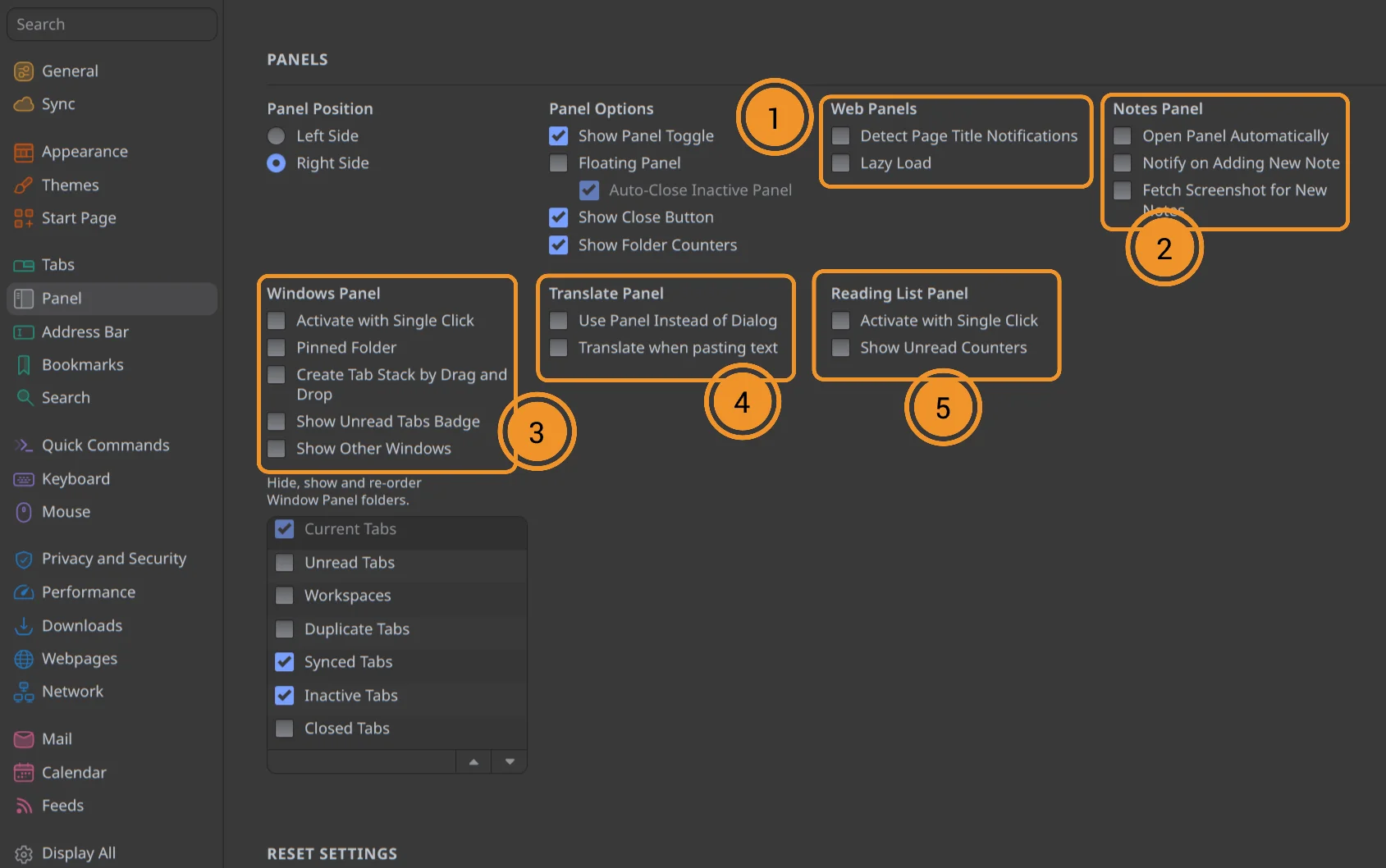
Disable these options in Settings > Panel.
Step 2:
Once the Part 1 is done, you can enable experimental features.
In the browser address bar, enter this URL: vivaldi://experiments
Then find this option: Allow CSS modifications.
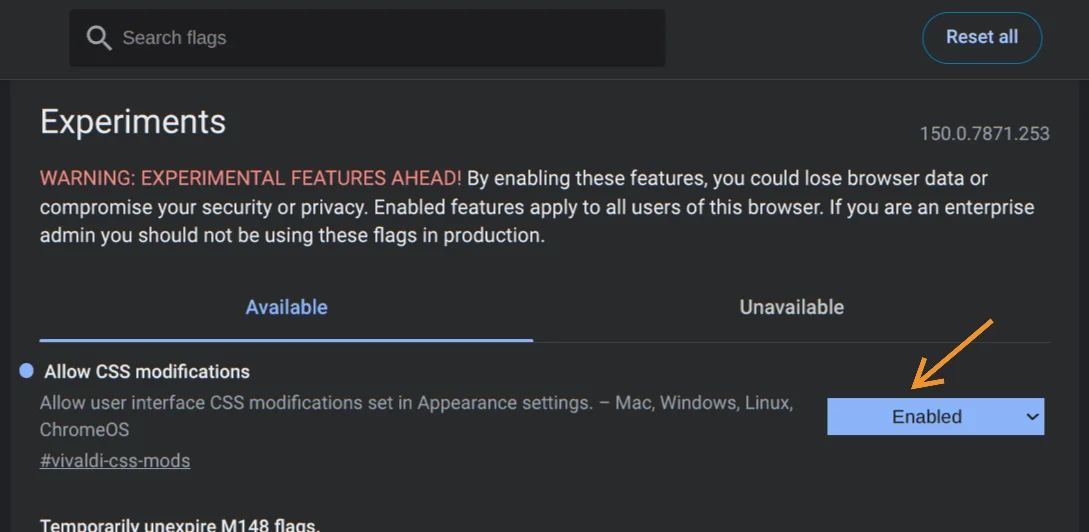
Completely exit the browser once you have enabled it.
Step 3:
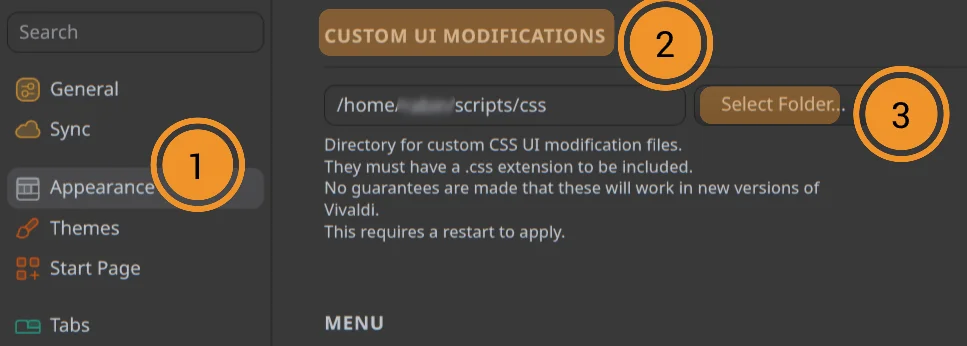
Now if you go to browser Settings > Appearance. Then scroll down just before Menu options. You will see this “CUSTOM UI MODIFICATIONS”. You can select a folder where you will create a .CSS file. So, choose a location for that.
Step 4:
Now, you will create a .CSS file in that folder we have selected, from Step 3. Let’s say the file name is “CUSTOM.CSS”. You will create the CUSTOM.CSS using Notepad or similar applications. Then enter/copy this code you see below:
/* Hide the panel switch+buttons */
#switch {
  display: none !important;
}

/* panel region collapse completely */
#ui-region-panel {
  max-width: none !important;
}

/* Remove the panel container when the panel itself is hidden */
#panels-container {
  display: none !important;
}
Save the CUSTOM.CSS file. The above code forces the side panel to be invisible.
Exit your Vivaldi instance.
Tip
Make sure you exited and restarted the browser, so the CSS file is loaded.
Step 5:
After restarting the browser, you should no longer see the side panel. But you can still invoke it using shortcuts.
At this point you might want to move your panel items to other places in your toolbar or status bar. Here is an example below.
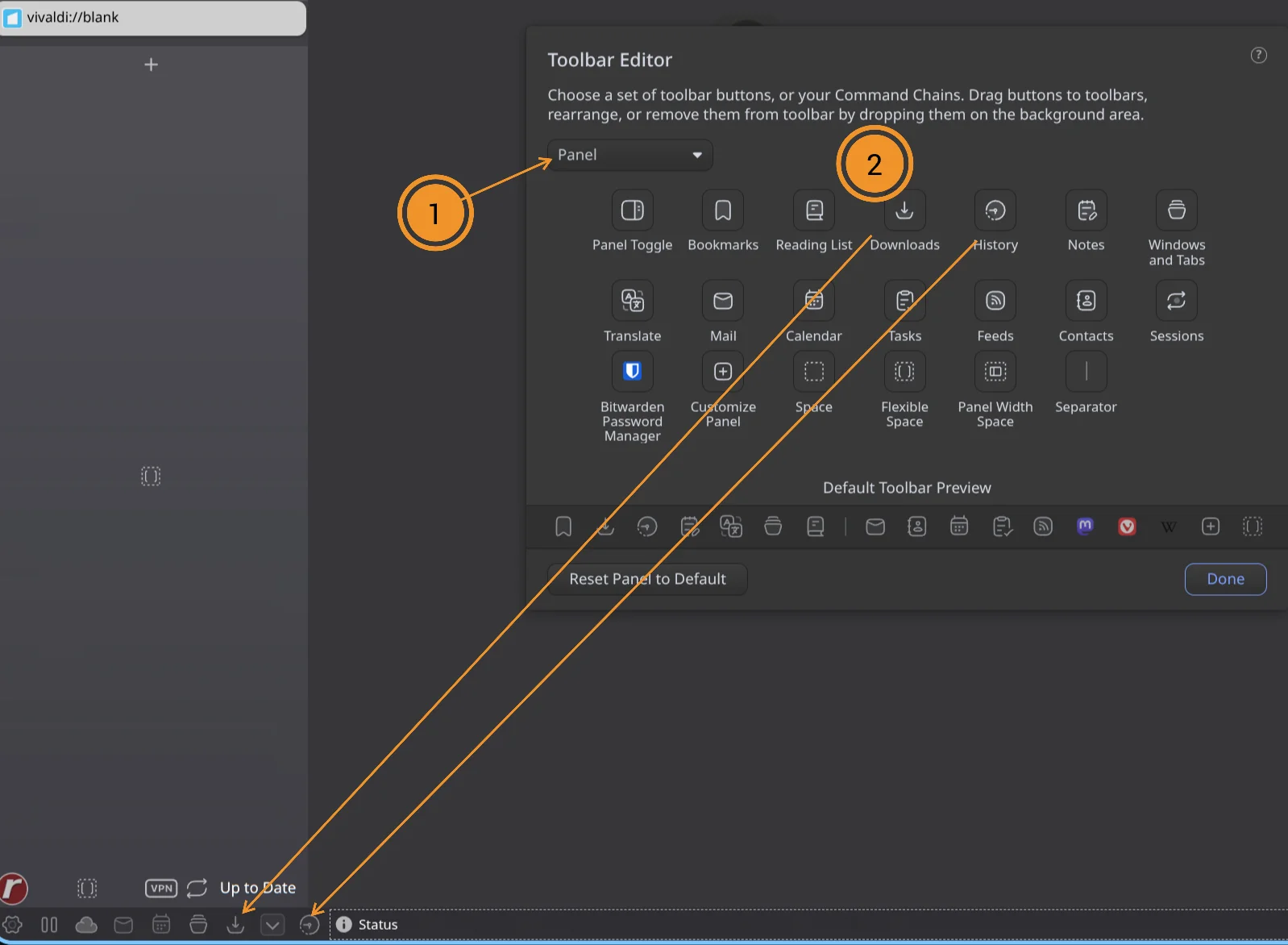
I have moved the downloads and history from the Side panel to the Status bar. So you can still access them, when needed. The side panel will be completely invisible for now.
This side panel was a bit of an annoyance, but it is still possible to handle it.