A few weeks ago I moved a large part of my daily desktop work from Windows to Fedora KDE.
That experiment went much further than I originally expected.
Fedora became the machine I was actually using for development, writing, terminal work, Obsidian, browsers, SSH, automation, and normal day-to-day computer stuff. Windows increasingly became the place I went back to for things that genuinely still needed Windows, particularly DaVinci Resolve Studio and a few other specialized workloads.
So this is not really a story about Fedora failing.
It worked.
In fact, Fedora is probably what convinced me that I could move my primary workstation workflow to Linux in the first place.
But after using it every day, another question started bothering me:
If this machine crashed tomorrow, how long would it take me to make another machine that felt like this one?
That question eventually led me to NixOS. Actually, I should say, it led me to Fedora Atomic Desktop, but I realized very fast it is also time consuming to manage immutable images. And that, finally led me to NixOS.
As of now 20 September 2026
I have moved out of a KDE/Plasma-based setup in NixOS to Dank + Niri with Gnome. So somethings might be slightly outdated.
Fedora solved the first problem
My original problem was fairly simple.
I wanted a Linux workstation that could handle:
- VS Code
- Node.js and web development
- Astro
- Hugo
- WordPress tooling
- Python
- SSH
- Ansible
- containers
- Obsidian
- browsers
- normal KDE desktop work
- NVIDIA
- multiple monitors
Fedora KDE did all of that.
There were some interesting problems.
NVIDIA with secure bootneeded some work.
KDE Plasma and Wayland occasionally had some strange behavior after suspend and system resume.
At one point the DisplayPort monitor would wake up but stop accepting desktop interaction, which led me to build a small kscreen-doctor reset workaround.
There were also the usual Linux desktop discoveries around audio devices, Flatpak permissions, indexing, sleep behavior, and application packaging.
None of those individually made me leave Fedora.
They actually taught me quite a bit about the desktop.
The real problem became reproducibility
After spending enough time configuring Fedora, I realized I had gradually created something I did not particularly want:
A workstation that worked very well, but whose final state existed mostly as the result of things I had done to it.
- Install this package.
- Change this configuration.
- Add this script.
- Enable this service.
- Fix this permission.
- Change this KDE setting.
- Add this repository.
- Remember why this file exists six months later.
That is completely normal for a Linux workstation.
But it also means rebuilding the machine requires remembering the history of the machine.
I wanted the opposite. I wanted a stateless reproducible system.
I wanted the machine configuration itself to be the record.
That was the part of NixOS that finally clicked for me.
The NixOS idea became simple
The goal is now:
Install NixOS
    ↓
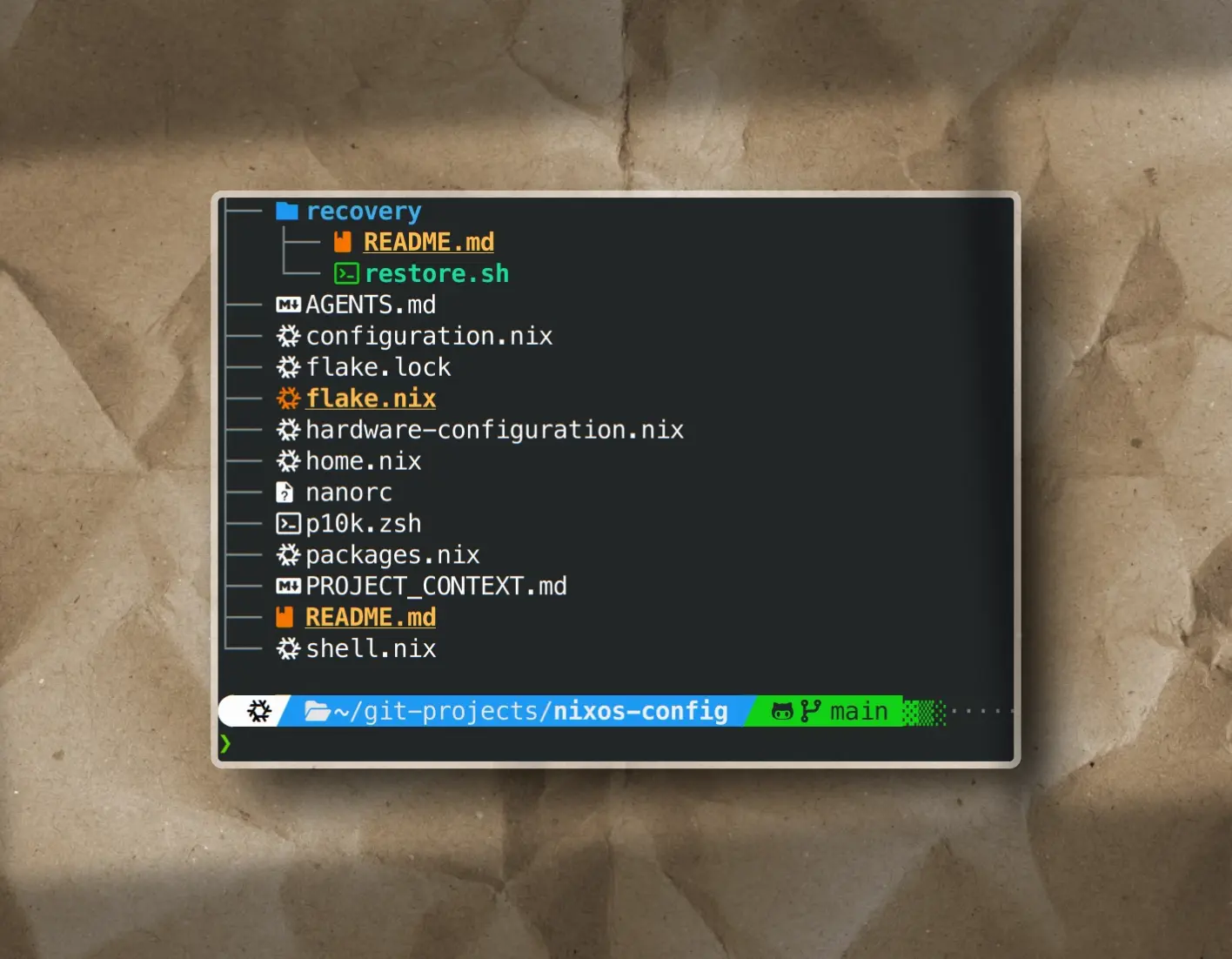
clone nixos-config
    ↓
rebuild
    ↓
restore mutable data
    ↓
workstation is back
The operating system configuration lives in Git.
Packages live in Nix configuration.
Services live in Nix configurations.
Home Manager handles user-level configuration.
Stable Plasma settings can gradually move into Plasma Manager.
The things that are genuinely mutable stay mutable and are backed up separately.
That separation is probably the biggest reason I stayed with NixOS after testing it.
I do not want everything in Git
There is an important distinction here.
I am not trying to turn my entire home directory into a Nix repo.
That would be another kind of silly madness.
Things such as these remain normal application data:
- Thunderbird profiles
- Codex state
- Kilo state
- Tabby configuration
- Fabric configuration
- StreamController profiles
- SSH state
- browser profiles
- authentication tokens
- documents
- project data
Those are encrypted and backed up with Restic through Backrest to my Synology.
The Synology itself then has its own separate off-site backup path to remote SFTP and S3.
Nix is responsible for reconstructing the machine.
Restic is responsible for bringing back the data that should remain mutable.
That boundary makes the whole thing much easier to reason about.
I hate auto update which break things
For me, this was not only a time-saver, but it also simplified how I manage my updates.
I never chase updates, I always prefer stability over newer versions. Finally, I was able to do this in my way.
Here is how I manage updates in a nutshell:
- I open my NixOS Git repo.
- Update all Nix packages:
nix flake update- general repository updates collected. - Update only nixpkgs:
nix flake update nixpkgs. - Update only Zen Browser:
nix flake update zen-browser- this would not be needed if I ran the first itemnix flake update. - I run the test build and if the test build is succedded then I go to the next step.
- I run the actual build of the OS, which is usually a few minutes.
- And new application updates are ready and available in the system. I test if the updated app is ok - no errors or crashes.
- I submit my new commit to GitHub with a comment like
"update Nix flake inputs"
Everything is deterministic, the packages will always follow the base pinned version of the OS.
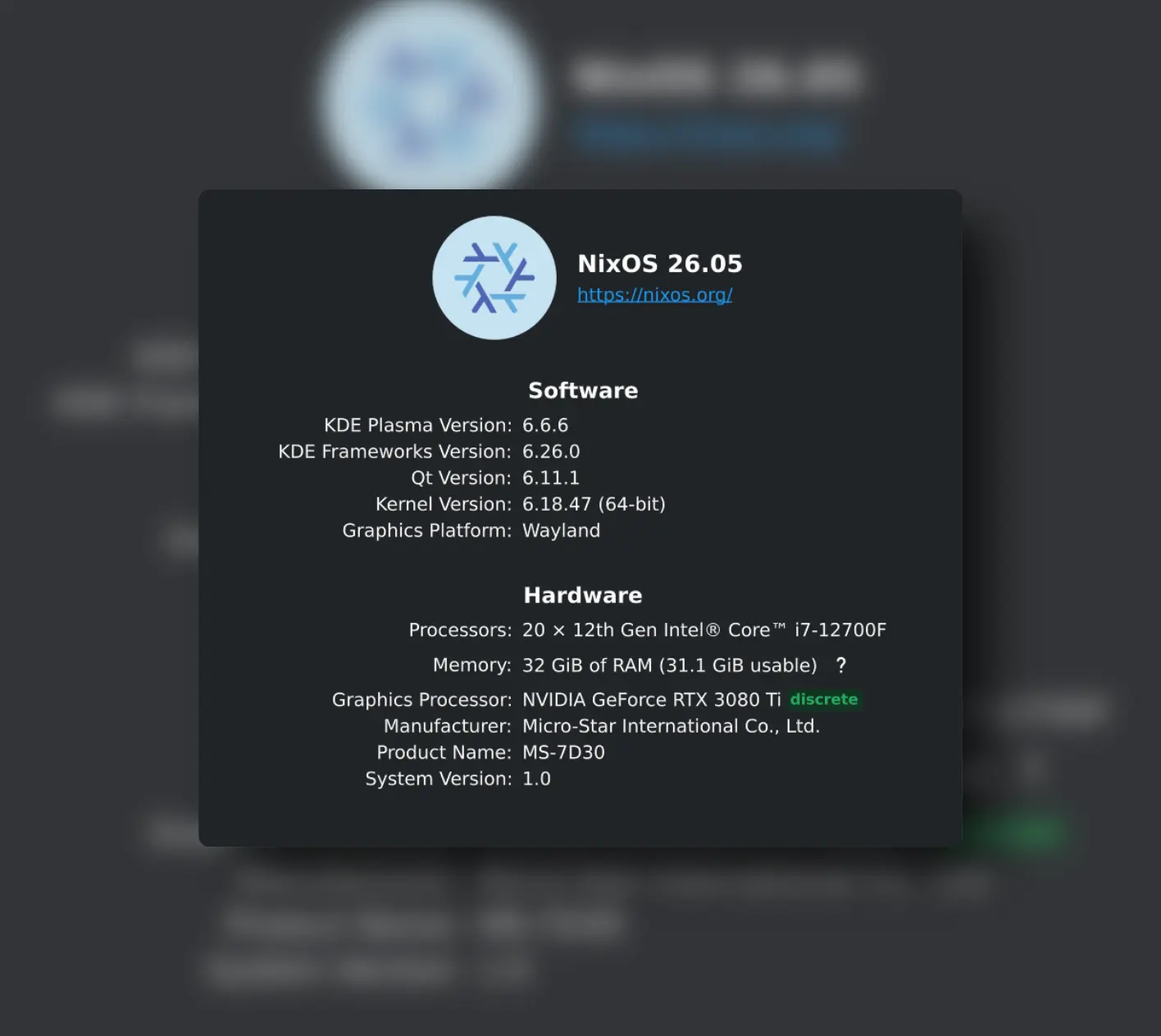
As of writing this, the pinned OS version is 26.05. In other words, it will not update anything if it is incompatible with 26.05.
Recovery became part of the configuration
This was where NixOS became more interesting to me than merely having reproducible package installation.
The configuration repository now also contains the recovery procedure.
I keep a tiny workstation recovery kit on a protected portable Ventoy NVMe drive.
It contains the minimum credentials needed to break the recovery chicken-and-egg problem:
- my normal SSH identity for GitHub
- the dedicated Synology backup SSH key
- the Restic repository password
So on a completely blank machine the recovery process is intended to remain under roughly ten steps:
- Install NixOS.
- Restore the normal SSH key.
- Clone the private NixOS configuration repository.
- Review anything that is hardware-specific.
- Rebuild NixOS.
- Reboot.
- Run the recovery helper.
- Restore the latest NixOS Restic snapshot.
- Reboot or log back in.
- Verify the important applications and services.
That is much closer to how I want a workstation to behave.
I previously spent over 5-15 days just to make my Windows machine bring back all the settings I usually use, and of course still missed over 30% of the things.
Different hardware does not spoil the idea
The configuration is currently for this particular desktop I am using.
That includes NVIDIA.
It includes particular network behavior.
There are hardware-specific sections.
But that does not mean the repository only works if I rebuild the exact same computer.
If the replacement machine does not use NVIDIA, I can disable or comment out that section before rebuilding.
If the disks are different, the hardware configuration can be regenerated.
The reusable parts remain reusable.
So I am not really trying to create a frozen image of one PC. I did this with Windows 11 keeping multiple system disk images, requires a lot of time, and drive space.
I am trying to keep a readable description of what makes the workstation mine.
Plasma is the next part
The application and system side is already surprisingly reproducible.
The remaining interesting problem is the desktop itself.
Things such as:
- global theme
- colors
- fonts
- cursor
- icons
- wallpaper
- panels
- shortcuts
- selected KWin behavior
can gradually move into Plasma Manager.
But I am deliberately not copying every KDE configuration value into Git.
- Some settings are runtime states.
- Some are generated.
- Some are monitor-specific.
- Some are experiments.
For example, I am currently experimenting with Krohnkite for tiling windows in KWin. I have not decided how I actually want to use it yet, so it stays mutable.
The rule is fairly simple:
A desktop setting only becomes declarative when I know I intentionally want it back after a complete rebuild.
That keeps the repository from becoming a backup dump disguised as configuration.
NixOS also feels different in daily use
This part is subjective, but noticeable on this machine.
The Plasma desktop on NixOS feels unusually clean and responsive. RAM usage is surprisingly low.
I have been building desktop PCs since the early 1990s, so small changes in input latency and desktop responsiveness are things I tend to notice fairly quickly.
That alone would not be enough reason to change distributions.
But it certainly did not hurt.
More importantly, once the packages, services and configuration started moving into Nix files, changing the machine stopped feeling like an accumulation of modifications.
I started to feel like editing the specification of the machine I want to run.
That is a very different mental model.
And then there was suspend
Suspend and resume was one area where I needed convincing.
On the earlier Fedora setup I had already dealt with KDE/Wayland display behaviour after waking the machine.
During the NixOS migration I found another issue where the NVIDIA GPU itself was throwing graphics exceptions immediately after resume.
That was much more serious than a monitor simply failing to wake correctly.
The eventual fix was to enable NVIDIA’s video-memory preservation support and use /var/tmp for the temporary backing storage.
After that, suspend/resume started behaving normally.
I did not want to call it fixed after one successful sleep cycle.
Today I deliberately tested nine variations involving:
- timed screen locking
- timed idle sleep
- manual sleep
- resume
- different idle periods
- repeated lock/sleep/resume cycles
Nothing crashed.
No plasma collapse.
No GPU reset.
No broken monitor.
Nine tests do not prove that a problem can never happen again, but that is enough repeated behavior for me to stop treating suspend as an unresolved blocker.
Fedora is still useful
I have not suddenly decided Fedora is bad.
Quite the opposite.
Fedora was an excellent bridge from Windows into using Linux as a proper daily workstation.
It also gave me a working reference system while I built the NixOS machine beside it.
For now Fedora still has its own SSD and its own EFI partition.
Windows also has its own disk and EFI partition.
NixOS has the same.
I designed that separation deliberately so one operating system does not need to own or overwrite another one’s boot files.
- Currently Fedora’s GRUB can still launch everything, although NixOS is now the default entry (with its own GRUB loader).
- Eventually I may let NixOS own the graphical GRUB menu and retire Fedora.
But that is a separate decision.
Bootloader changes deserve considerably less improvisation than installing an application package.
So why NixOS?
Not because it has more applications.
Not because Fedora was unstable.
Not because I wanted a more complicated Linux distribution.
It’s the opposite.
I moved because NixOS gives me a way to make the workstation itself less dependent on memory.
The useful part is not merely:
I can install packages declaratively.
It is:
I can document what this machine is, rebuild it, and separate its configuration from its data.
That is the part I was missing before.
Where I ended up
The current model looks like this:
GitHub
  └── nixos-config
       ├── NixOS
       ├── Home Manager
       ├── applications
       ├── services
       ├── recovery tooling
       └── WIP, stable Dank/Niri configuration

Synology
  └── encrypted Restic repository
       ├── application state
       ├── user data
       ├── credentials
       └── historical workstation snapshots

Protected recovery NVMe
  └── bootstrap credentials
That is a much better answer to the question that started all of this:
What happens if the workstation disappears tomorrow?
Instead of remembering how I built it, I want to rebuild what I documented.
That is why NixOS is currently winning.
Here is my general process of recovery plan:
flowchart TD
    A["🔐 Protected Ventoy / NVMe"]

    A --> B["🔑 GitHub SSH Key"]
    A --> C["🔑 Synology SSH Key"]
    A --> D["🔒 Restic Password"]

    B --> E["🐙 GitHub"]
    C --> F["🗄️ Synology"]
    D --> F

    E --> G["⚙️ nixos-config"]
    F --> H["📦 Restic Snapshots"]

    G --> I["🔧 NixOS Rebuild"]
    H --> J["♻️ Mutable Data Restore"]

    I --> K["💻 Rebuilt Workstation"]
    J --> K
This is not the end of the line, this is just the beginning of the model I am working on. As I move along, I will refine, strengthen and simplify this process.
Currently, it can be repeated in under 5 minutes, and restore a fully working workstation in under 30 minutes. Minus the 7 minutes to complete the barebones NixOS first.
I am sure many of you are ahead of me in this, but this is a process I would very much like how systems should be designed.
Because system hardware can change, but behavior and familiarity of the usage only evolves with learning.
This is always a continuous work in progress state.